

Adding Subusers & Permissions
How to invite moderators, builders, or co-admins to your server with granular per-permission access on the Rogue Wave Hosting game panel.
On this page 3
Subusers let you share server administration with friends, moderators, or developers—without ever sharing your own panel password. Each subuser logs in with their own account and can only see and perform the exact actions you grant them.
Inviting a Subuser
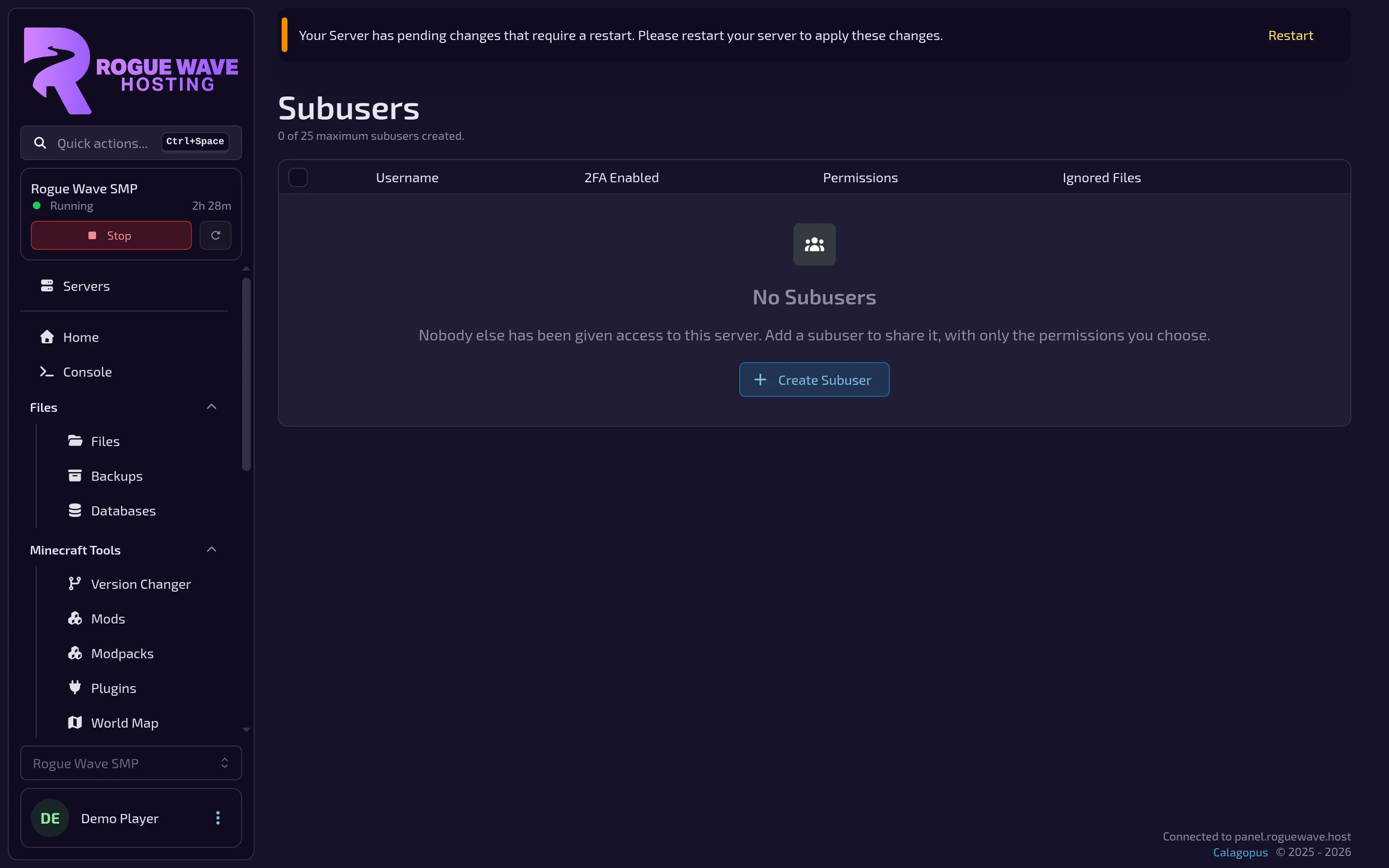
Open your server in the Game Panel and click Subusers in the left sidebar. You can add up to 25 subusers per server, and the table shows each subuser’s Username, 2FA Enabled status, assigned Permissions count, and any Ignored Files restrictions.
-
Click + Create Subuser
Click + Create Subuser to open the Create Subuser modal.
-
Enter the user's email address
Type the email address of the person you’re inviting in the Email field. If they already have a Rogue Wave Hosting panel account, the server appears in their panel right away; otherwise they receive an invite to set up their login.
-
Pick granular permissions
Expand any category under Permissions to select individual capabilities, or check a category header to grant all permissions in that group. The Selected Permissions box on the right tracks your exact selection and offers Select All / Deselect All shortcuts.
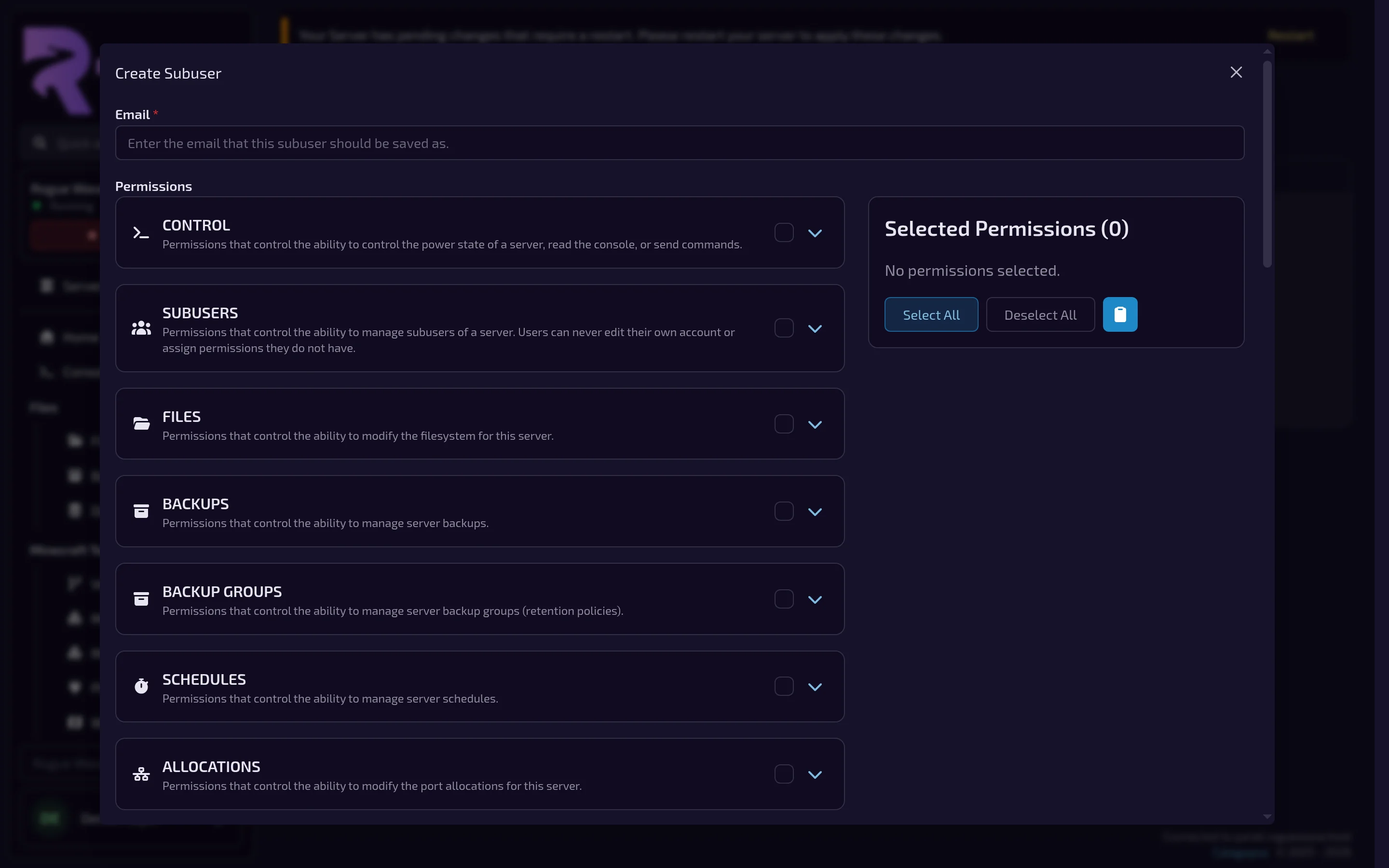
Assigning granular permissions by category in the Create Subuser modal. -
Save the subuser
Scroll to the bottom of the modal and save. You can return anytime to add or remove permissions—or remove the subuser completely—without restarting your server.
Permission Categories & Recommended Roles
| Permission Category | What It Controls |
|---|---|
| Control | View the live console, send commands, and Start / Stop / Restart the server. |
| Subusers | View, invite, edit, or remove other subusers (users can never edit their own account or assign permissions they don’t hold). |
| Files | Browse, read, edit, upload, archive, or delete files in the File Manager and over SFTP. |
| Backups | Create, view, download, lock, restore, or delete backups. |
| Backup Groups | Manage bundled backup groups and retention policies. |
| Schedules | View, create, edit, or delete automated schedules and tasks. |
| Allocations | View or modify port allocations and firewall/network rules. |
Practical Least-Privilege Presets
- Moderator / Helper — Grant Control (read console + send commands + restart, without Kill if not needed). Skip Files, Databases, and Subusers so they can’t accidentally edit configs or delete worlds.
- Developer / Config Editor — Grant Control + Files + Backups (create/download only, not delete) so they can safely take a backup before editing configs or uploading plugins.
- Trusted Co-Admin — Grant Control, Files, Backups, Schedules, and Allocations, while keeping Subusers and destructive server settings restricted to the server owner.