



Setting Up Automated Schedules
How to automate server restarts with warning messages, hourly world saves, and nightly backups using Schedules in the Rogue Wave Hosting game panel.
On this page 6
Schedules automate repetitive server maintenance—such as daily restarts with player countdowns, hourly save-all commands, and nightly off-node backups—so your server stays fast and protected even while you’re offline.
Navigating the Schedules Page
Open your server in the Game Panel and click Schedules in the left sidebar.
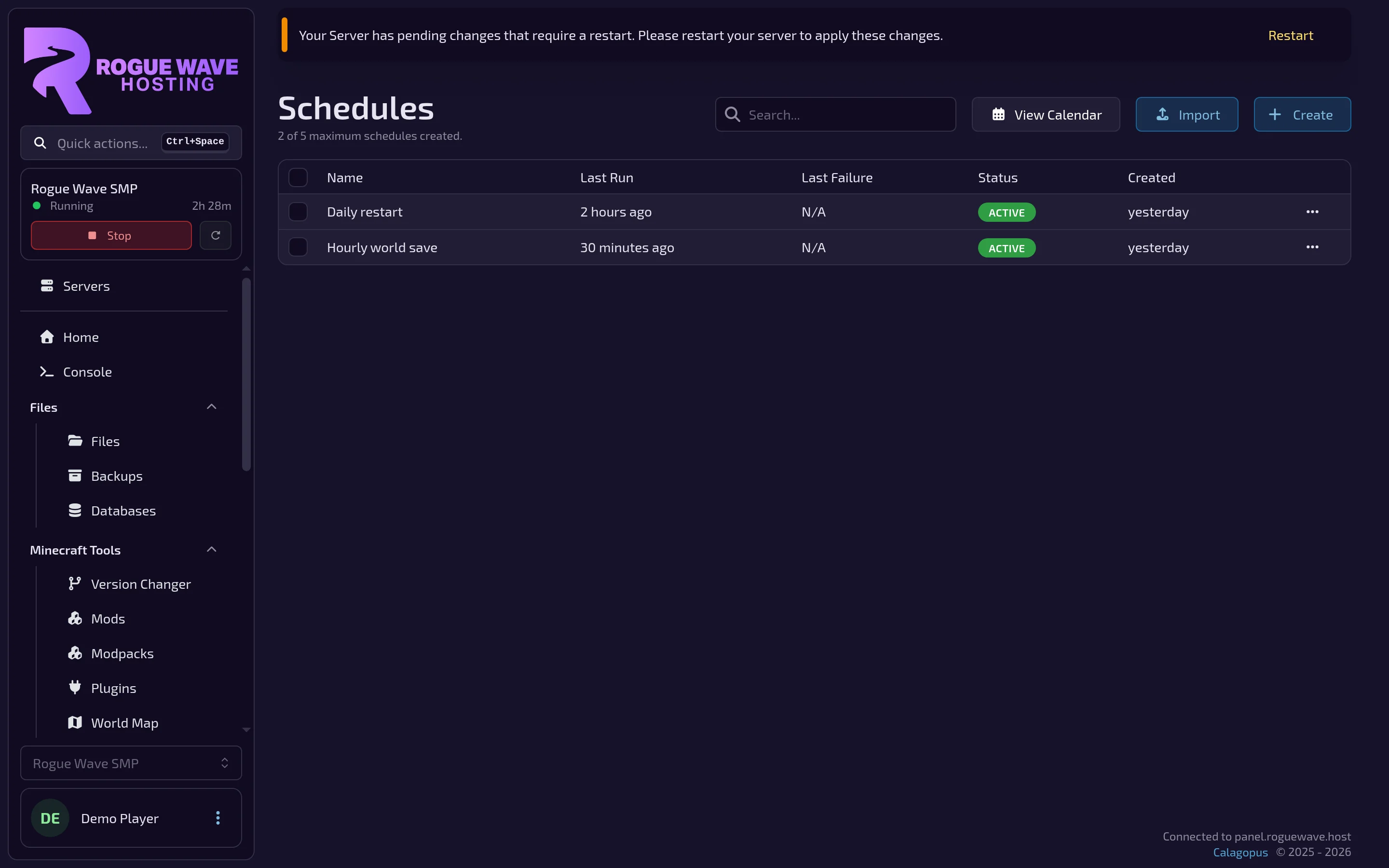
From the Schedules overview you can:
- Check how many schedule slots you’ve used (for example,
2 of 5 maximum schedules created.). - Review each schedule’s Last Run, Last Failure, and Status (
ACTIVEor disabled). - Click View Calendar to visualize when all of your scheduled tasks fire across the week so restarts and backups don’t overlap.
- Click Import to load an exported schedule JSON from another server.
- Click
...on any row to edit, trigger manually, export, or delete a schedule.
Creating a New Schedule
-
Click + Create
Click + Create in the top-right corner to open the Create Schedule modal.
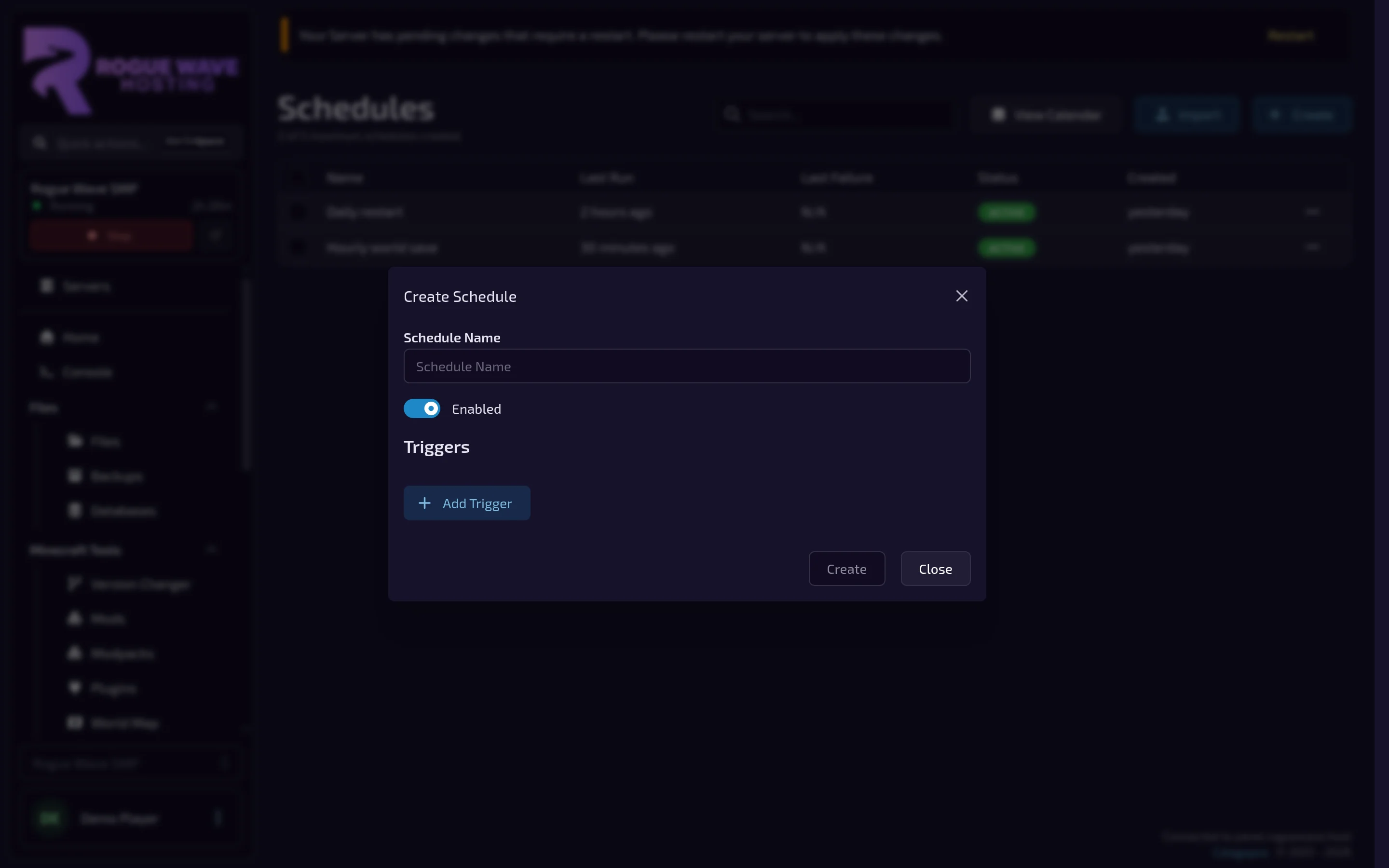
Creating a schedule by naming it, toggling Enabled, and adding one or more triggers. -
Name the schedule and add a trigger
- Schedule Name — Give it a descriptive label (for example,
Daily restart,Hourly world save, orNightly backup). - Enabled — Keep this toggled on (turn it off anytime to pause a schedule during maintenance without deleting it).
- Triggers — Click + Add Trigger to define when the schedule fires (for example, a recurring cron schedule such as every hour or daily at
04:00).
Click Create.
- Schedule Name — Give it a descriptive label (for example,
-
Add ordered actions inside the schedule
Click your newly created schedule row to open its task editor and add one or more sequential actions (such as Send Command, Send Power Action, or Create Backup) with optional delays between steps.
Three Practical Schedule Recipes
1. Daily Restart with Player Warnings
A graceful daily restart clears memory leaks and keeps modded or long-running servers crisp. Chain four steps with delays so players aren’t kicked mid-fight:
| Step | Action | Payload / Setting | Delay After Previous Step |
|---|---|---|---|
| 1 | Send Command | say Server restarting in 5 minutes! |
0s |
| 2 | Send Command | say Server restarting in 1 minute — please find a safe spot! |
240s (4 min) |
| 3 | Send Command | save-all |
50s |
| 4 | Send Power Action | Restart |
10s |
Set the trigger for your quietest off-peak hour (for example, 04:00 daily).
2. Hourly World Save (save-all)
Periodic saves minimize rollback loss if a mod or plugin ever crashes unexpectedly:
- Trigger: Every hour on the hour (
0 * * * *) - Task 1: Send Command →
save-all
(For non-Minecraft games, substitute your game’s save command, such as server.save on Rust or Save on Palworld.)
3. Nightly Automated Backup
Pair automated backups with your daily restart so you always have a clean snapshot to roll back to:
- Trigger: Daily at
03:30(30 minutes before a04:00restart so the backup finishes before shutdown) - Task 1: Create Backup — Optionally exclude bulky cache/log folders (
logs/*,cache/*).