Minecraft: Java Edition
Sandbox · Mojang
Installing Minecraft Mods
How to switch to a mod loader and browse, install, and update Fabric, Forge, and NeoForge mods from Modrinth and CurseForge in the Rogue Wave Hosting panel.
On this page 3
The Mods page under Minecraft Tools lets you search, install, and manage individual Minecraft mods from Modrinth and CurseForge straight into your server’s mods/ folder—automatically matching your mod loader and Minecraft version.
Switching from Vanilla to a Mod Loader First
Official Vanilla Minecraft servers cannot load mods. If your server is currently running Vanilla (or a plugin-only platform such as Paper), opening Minecraft Tools → Mods displays a notice explaining that the server doesn’t run a mod loader.
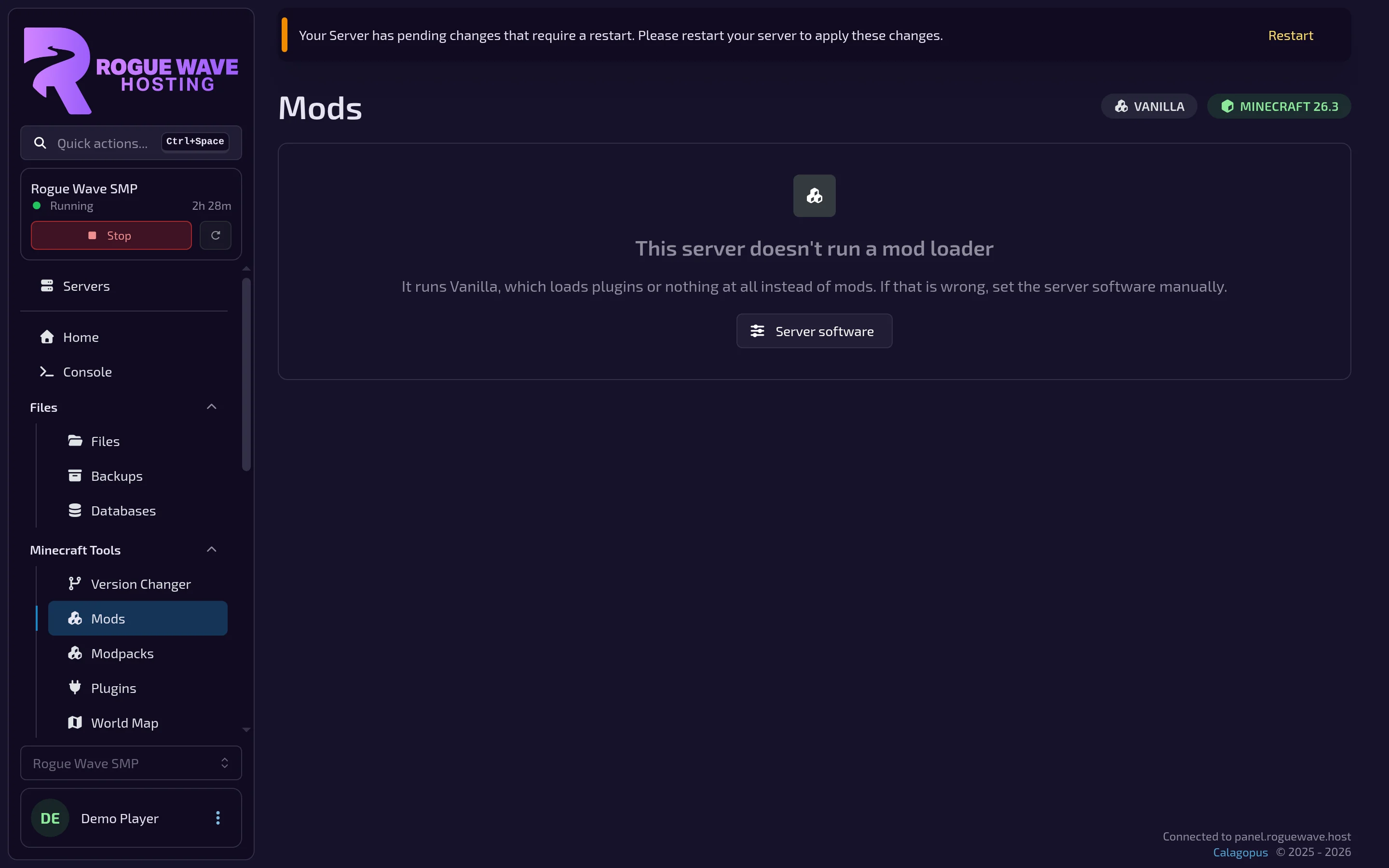
Before installing mods, switch your server to a modded loader:
-
Open Version Changer
Click Minecraft Tools → Version Changer in the left sidebar and open the Modded tab.
-
Install Fabric, Forge, or NeoForge
Choose Fabric (lightweight, fast updates, popular for Vanilla+ and optimization mods), NeoForge (modern Forge successor for Minecraft 1.20.4+), or Forge (classic ecosystem for 1.20.1 and older mods), pick your Minecraft version, and install it. See Changing Minecraft Server Versions for the full walkthrough.
-
Use Server software override if auto-detection disagrees
If you uploaded a custom modded JAR manually and the panel still reports Vanilla or the wrong version, click Server software on the Mods page to manually specify your mod loader and Minecraft version so the browser filters accurately.
Browsing & Installing Mods
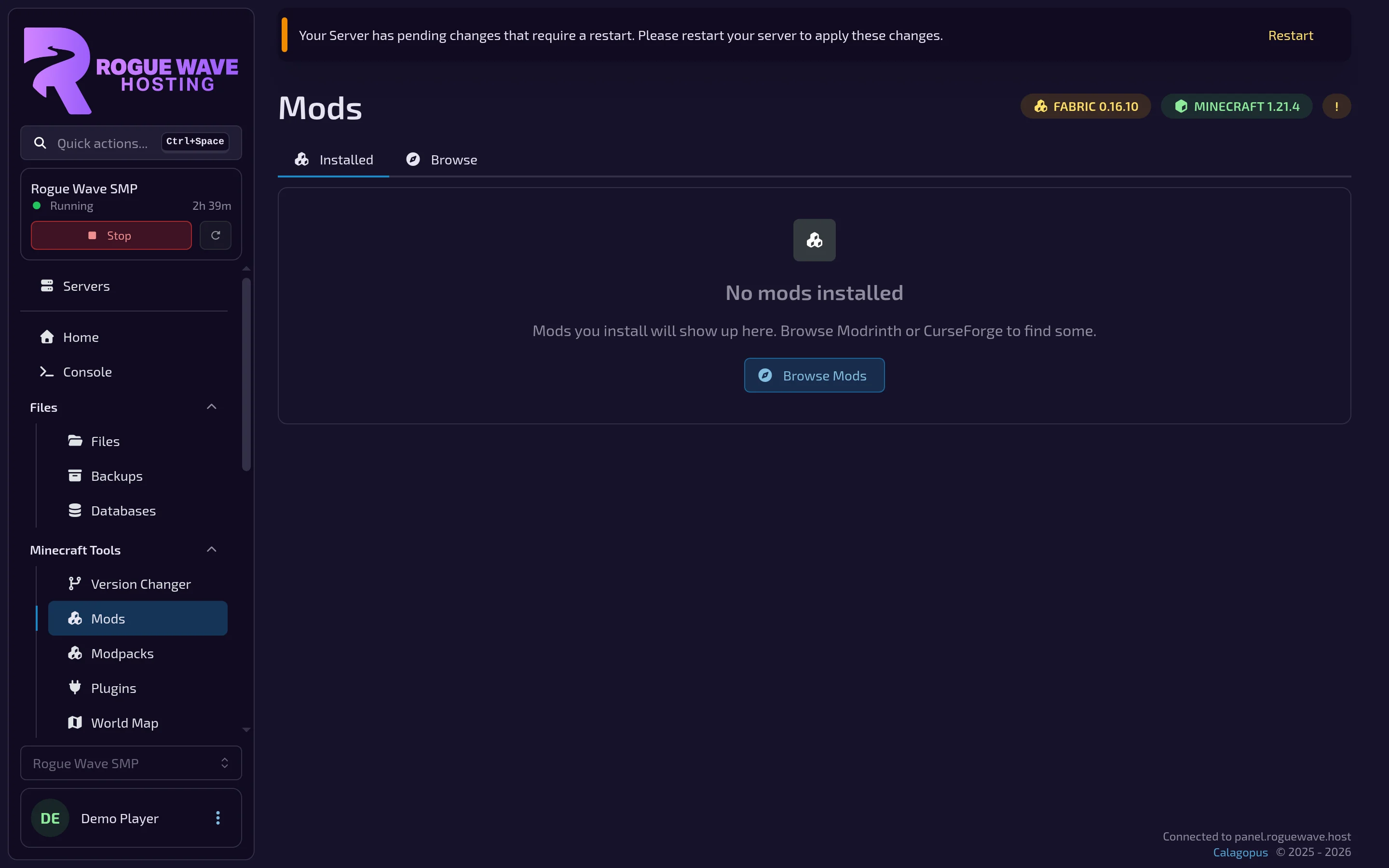
Once your server is running Fabric, Forge, NeoForge, or Quilt, open Minecraft Tools → Mods again. The top-right badges confirm the detected loader and Minecraft version (for example, FABRIC 0.16.10 and MINECRAFT 1.21.4), and the page unlocks the Installed and Browse tabs.
-
Open the Browse tab
Click Browse (or Browse Mods) to search Modrinth or CurseForge. Results are automatically filtered to match your detected loader and Minecraft version.
-
Install mods and required dependencies
Click Install on each mod you want. Check the mod description for required library mods (such as Fabric API, Architectury API, or Cloth Config) and install those too—missing libraries are the #1 cause of startup crashes.
-
Restart your server to load the new mods
Open Console and click Restart (or click Restart in the pending-changes banner) so the mod loader initializes your newly installed JARs.
Updating, Managing & Troubleshooting Mods
- Updating or removing mods — Open the Installed tab to inspect installed JARs, apply available updates, or remove mods you no longer need. Always restart after making changes.
- Server-side vs. client-and-server mods — Purely server-side mods (such as Lithium, FerriteCore, or Chunky) only need to be installed on the server. Any mod that adds new blocks, items, mobs, or custom GUIs must also be installed with the exact same version on every player’s client.
- Avoid client-only mods on the server — Client-side mods like Sodium, Iris Shaders, Mod Menu, or Zoomify will crash a dedicated server if dropped into
mods/. - Need a full curated pack instead? — Skip building a mod list by hand and install a complete pack in one click with Installing Minecraft Modpacks.
- Running dozens of mods? — Switch your JVM profile to Modded G1GC (Large Modpacks) under Optimizing Minecraft Startup Flags.